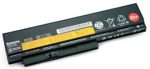
LENOVO THINKPAD X220 6 CELL BATTERY
₨5,500
Description for the Battery for Lenovo X220
Short Description;
Our replacement battery for the Lenovo ThinkPad X220 ensures your laptop remains powered throughout your busiest days. Crafted with high-quality lithium-ion cells, this battery offers exceptional performance and longevity.
Key Features;
Extended Battery Life: Choose between our 6-cell (4400mAh) and 9-cell (6600mAh) options to suit your power needs. The 9-cell variant provides up to 15 hours of usage, perfect for extended work sessions without access to a power outlet.
Seamless Compatibility: Specifically engineered for the Lenovo ThinkPad X220, ensuring a perfect fit and optimal performance.
Premium Quality Cells: Built with A-grade lithium-ion cells for enhanced durability and consistent power output.
Safety Assured: Equipped with overcharge, overheat, and short-circuit protection to safeguard both your laptop and the battery.
Eco-Friendly Design: Manufactured with environmentally friendly materials, complying with RoHS standards.
Specifications;
Voltage: 11.1V
Capacity Options:
6-Cell: 4400mAh
9-Cell: 6600mAh
Cell Type: Lithium-Ion
Dimensions:
6-Cell: 208.00 x 54.40 x 23.30mm
9-Cell: 230.80 x 79.00 x 21.10mm
Weight:
6-Cell: Approximately 256g
9-Cell: Approximately 315g
Why Choose Our Battery?
Our replacement battery not only restores your ThinkPad X220’s mobility but also enhances its usability with longer unplugged periods. Whether you’re a professional needing reliable power during travel or a student requiring extended study sessions, this battery is tailored to meet your demands.
Installation and Usage Tips
Replacing your ThinkPad X220 battery is straightforward:
Power off your laptop and disconnect any external power sources.
Locate the battery release switches on the underside of your laptop.
Slide the switches to the unlocked position and gently remove the old battery.
Align the new battery with the battery bay and slide it into place until it clicks securely.
Lock the release switches to secure the battery.
For optimal performance, it’s recommended to calibrate the new battery by fully charging and then discharging it during the first few cycles.
Customer Satisfaction Guarantee
We stand behind the quality of our products. This replacement battery comes with a one-year warranty and a 30-day money-back guarantee. Our dedicated customer support team is ready to assist you with any inquiries or concerns.
Order Now
Don’t let a failing battery slow you down. Upgrade your Lenovo ThinkPad X220 with our high-performance replacement battery today and experience the freedom of extended, reliable power.
| Weight | .34 kg |
|---|---|
| Dimensions | 33 × 11 × 6 cm |
You may also like…


DELL INSPIRON 3493 Core i5
Description for the Dell 3493 Core i5 Laptop
Short Description;
Discover seamless productivity with the Dell 3493 Core i5 Laptop, a perfect blend of speed, reliability, and portability. Equipped with a powerful 10th Gen Intel Core i5 processor, this laptop ensures smooth multitasking, whether you're working, streaming, or gaming.


DELL INSPIRON 3593 CORRE I3 10TH
DELL INSPIRON 3593 CORE I3 LAPTOP
Short Description;
Looking for a reliable laptop that delivers smooth performance for everyday tasks? The Dell Inspiron 3593 Core i3 Laptop combines power, portability, and affordability, making it an excellent choice for students, professionals, and home users alike.

DELL LATITUDE 3340 Ci3 4th 4GB 500GB
DELL LATITUDE 3340 CORE I3 LAPTOP
Short Description;
Unleash productivity with the Dell Inspiron 3340 Core i3 Laptop, designed for students and professionals. Compact, lightweight, and reliable, this 13.3-inch powerhouse balances performance and portability, making it an ideal companion for work or school.

DELL LATITUDE 5480 Ci5 7th 8GB 256GB
DELL LATITUDE 5480 CORE I5 LAPTOP
Short Description;
Power through your workday with the DELL LATITUDE 5480 CORE I5 LAPTOP—a business-class laptop designed to deliver unmatched performance, mobility, and security. Equipped with a powerful Intel Core i5 processor and a sleek, durable design, this laptop ensures you stay productive wherever you go.

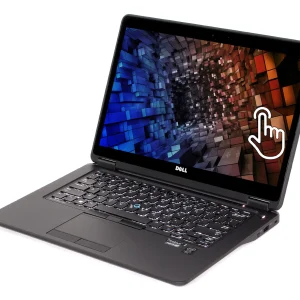
DELL LATITUDE E3490 Ci3 7 8GB 128GB
DELL LATITUDE E3490 CORE I3 LAPTOP
Short Description;
Stay ahead in your business and daily computing needs with the DELL LATITUDE E3490 CORE I3 LAPTOP. Designed for professionals on the go, this laptop offers the perfect blend of performance, reliability, and portability—ensuring you stay productive anytime, anywhere.


DELL LATITUDE E5440 I5 4TH GEN
Description for the DELL LATITUDE E5440 CORE I5 LAPTOP
Short Description;
Experience seamless performance with the DELL LATITUDE E5440 CORE I5 LAPTOP, designed for professionals who need speed, reliability, and portability. With its Intel Core i5 processor, long battery life, and durable build, this laptop ensures that productivity never stops, whether in the office or on the go.

DELL LATITUDE E5450 I5 5TH GEN
Description: DELL LATITUDE E5450 CORE I5 LAPTOP
Short Description;
Looking for a reliable, high-performance laptop for business or everyday use? The DELL LATITUDE E5450 CORE I5 LAPTOP combines powerful processing with sleek design, making it the perfect companion for professionals on the go. With a robust Intel Core i5 processor and exceptional durability, this laptop ensures you stay productive anywhere.

DELL LATITUDE E5470 Ci5 6th 8GB 256GB
DELL LATITUDE E5470 CORE I5 LAPTOP
Short Description;
Experience unmatched performance and portability with the DELL LATITUDE E5470 CORE I5 LAPTOP—a perfect blend of power, speed, and reliability. Whether you’re multitasking at work or studying on the go, this business-class laptop ensures you stay productive without missing a beat.
Related products
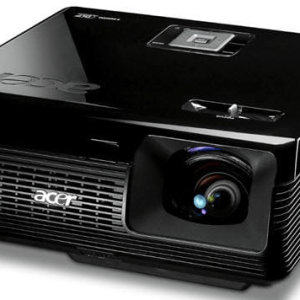
ACER P1200B PORTABLE DLP PROJECTOR
ACER P1200B DLP PROJECTOR
Short Description;
Elevate your viewing experience with the Acer P1200B projector, designed for crystal-clear visuals and seamless presentations. Whether for professional use or home entertainment, this feature-packed projector delivers outstanding performance with sharp image clarity and vibrant colors that leave a lasting impression.
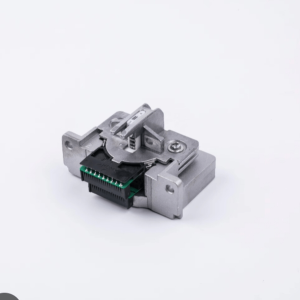
EPSON LQ350 PRINTER HEAD
Description For Epson LQ-350 Dot Matrix Printer
Short Description;
High performance meets reliability with the Epson LQ-350 Dot Matrix Printer. Whether you’re printing invoices, shipping forms, or reports, this robust dot matrix printer delivers exceptional quality and speed. Perfect for businesses looking for an affordable, long-lasting printing solution, the Epson LQ-350 ensures your operations run smoothly with minimal interruptions.


HP 135W BLACK LASER WIFI MFP PRINTER
HP 135W Printer – Compact, Wireless, and Reliable Printing for Everyday Use
SHORT DESCRIPTION;
Looking for a printer that combines efficiency, versatility, and wireless convenience? The HP 135W Printer offers everything you need for hassle-free printing at home or in small offices. Its compact design and fast printing capabilities make it a perfect fit for anyone seeking high-quality performance without the bulk.
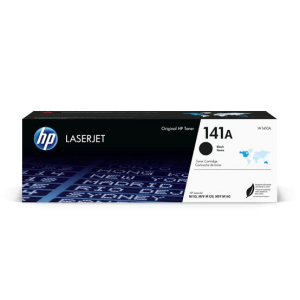
HP 141A BLACK LASER TONER CARTRIDGE
HP 141A Black Laser Toner Cartridge – Crisp, Reliable Printing for Your HP LaserJet
SHORT DESCRIPTION;
Experience sharp, professional-quality prints every time with the HP 141A Black Laser Toner Cartridge. Designed specifically for HP LaserJet M110 and M140 series printers, this cartridge ensures consistent performance and high-quality output for all your printing needs.
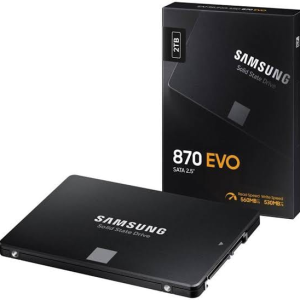
SAMSUNG 2TB 870 EVO 2.5″ SATA SSD
SAMSUNG 2TB 870 SATA SSD - Unleash Your Storage Potential
SHORT DESCRIPTION;
Elevate your computing experience with the SAMSUNG 2TB 870 SATA SSD, the ultimate solution for speed, reliability, and capacity. Designed for both enthusiasts and professionals, this SSD ensures you never have to worry about storage limitations while enjoying lightning-fast data access.
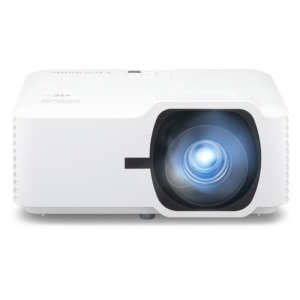
VIEWSONIC LS740W 5000 LUMENS
VIEWSONIC LS740W 5000 LUMENS PROJECTOR
Short Description:
The ViewSonic LS740W Smart Portable Projector offers stunning image quality and unmatched portability, making it the ideal choice for professionals, educators, and entertainment enthusiasts. Whether you're giving a presentation or enjoying a movie night, this projector delivers exceptional visuals anywhere you go.
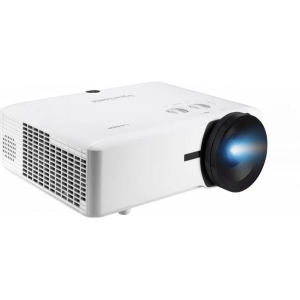
VIEWSONIC LS921WU 6000 ANSI LUMENS
VIEWSONIC LS921WU 6000 LUMENS PROJECTOR
Short Description;
Experience unparalleled image clarity and versatility with the ViewSonic LS921WU Smart Portable Projector. Designed for both business and creative applications, this projector delivers 6,000 ANSI lumens of brightness, WUXGA resolution, and exceptional installation flexibility.