
LOGITECH B100 Optical Mouse Review –

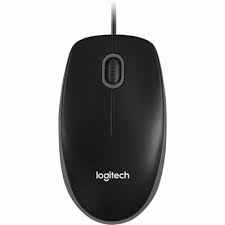
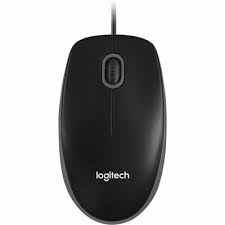
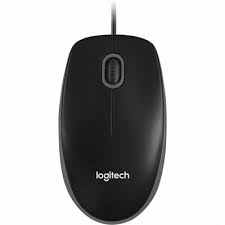
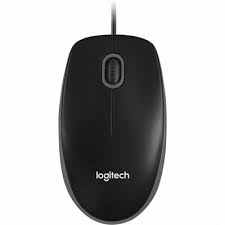
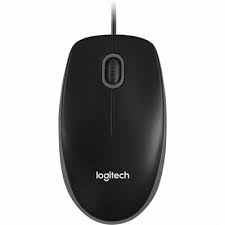
If you’re on the hunt for a budget-friendly, no-nonsense mouse that just works—meet the LOGITECH B100 Optical Mouse. Whether you’re setting up an office, upgrading your home workstation, or just need a reliable backup, this little gem has been a top pick for years.
In this post, we’ll break down what makes the Logitech B100 such a dependable choice, compare it fairly to a similar model, look at how it performs in daily use, and wrap up with a few FAQs. Let’s dive in.
Why Choose the Logitech B100?
A Quick Overview of Its Key Specs:
- Connection Type: Wired (USB)
- Tracking: Optical sensor
- Resolution: 800 DPI
- Buttons: 3 (left, right, scroll wheel)
- Compatibility: Windows, macOS, Linux
- Design: Ambidextrous—suitable for both left- and right-handed users
- Plug-and-play: No drivers needed
Real-World Use Cases
This mouse shines in everyday situations. Here’s how people are using it:
- Office Work: Perfect for spreadsheets, emails, and general browsing.
- Classrooms & Labs: Teachers and students love its simplicity and durability.
- Home Use: Great for casual tasks like shopping online or watching YouTube.
- Backup Mouse: Keep one in your bag or drawer—just in case.
It’s not built for gaming or design-heavy tasks, but for daily use? It’s more than enough.
How It Compares: Logitech B100 vs. HP X1000 Wired Mouse
| Feature | Logitech B100 | HP X1000 |
|---|---|---|
| DPI | 800 | 1000 |
| Ergonomic Design | Ambidextrous | Right-handed focus |
| Build Quality | Durable and smooth | Slightly bulkier |
| Plug-and-Play | Yes | Yes |
| Price | Budget-friendly | Slightly higher |
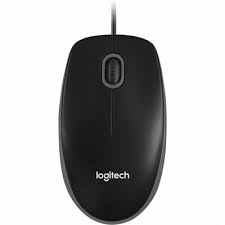
While the HP X1000 offers a slightly higher DPI (1000 vs. 800), the Logitech B100 wins in versatility and comfort for both left- and right-handed users. Plus, Logitech’s long-standing reputation for quality and customer satisfaction gives it an edge.
Pros and Cons
✅ Pros:
- Simple, no-setup-required use
- Comfortable for long hours
- Works on most surfaces
- Long-lasting build
- Great for both lefties and righties
- Incredibly affordable
❌ Cons:
- Not ideal for gaming
- No DPI adjustment
- Basic design (no extra buttons)
FAQs – Everything You Want to Know
Q: Is the Logitech B100 good for gaming?
A: It works, but it’s not designed for gamers. If you need fast, high-DPI responsiveness or customizable buttons, consider a gaming mouse instead.
Q: Does it work with Mac?
A: Yes! It’s fully compatible with macOS, along with Windows and Linux. Just plug it in and go.
Q: Is it comfortable for small or large hands?
A: The B100 is medium-sized and fits most hands comfortably. It’s not oversized or tiny—just right for average daily use.
Q: Can I view real images of the product?
A: Absolutely. Visit General Traders’ Facebook page or Instagram to check out real photos of the Logitech B100 and see how it looks in hand.
Final Thoughts – Why the Logitech B100 Still Matters in 2025
In a world full of flashy, overcomplicated tech, the Logitech B100 Optical Mouse keeps things simple—and that’s its strength. It’s reliable, affordable, and built to quietly get the job done, day after day.
If you’re looking for a mouse that just works—no questions asked—this is the one.
Buy With Confidence from General Traders
Looking to order the Logitech B100? Make sure you buy from General Traders—your trusted source for original tech accessories in Pakistan. With fast delivery, reliable stock, and a strong focus on customer satisfaction, you’ll always get top-notch service.
👉 Order now and experience the Logitech B100 difference.
📦 Visit us on Facebook or Instagram for updates, product images, and exclusive offers!
